
How to Install Jellyfoo on your Roku device
Info
Until Jellyfoo is available on the Roku Channel Store, you can install it by sideloading the channel package onto your Roku device
as described below or by using the
Roku Developer Setup Guide
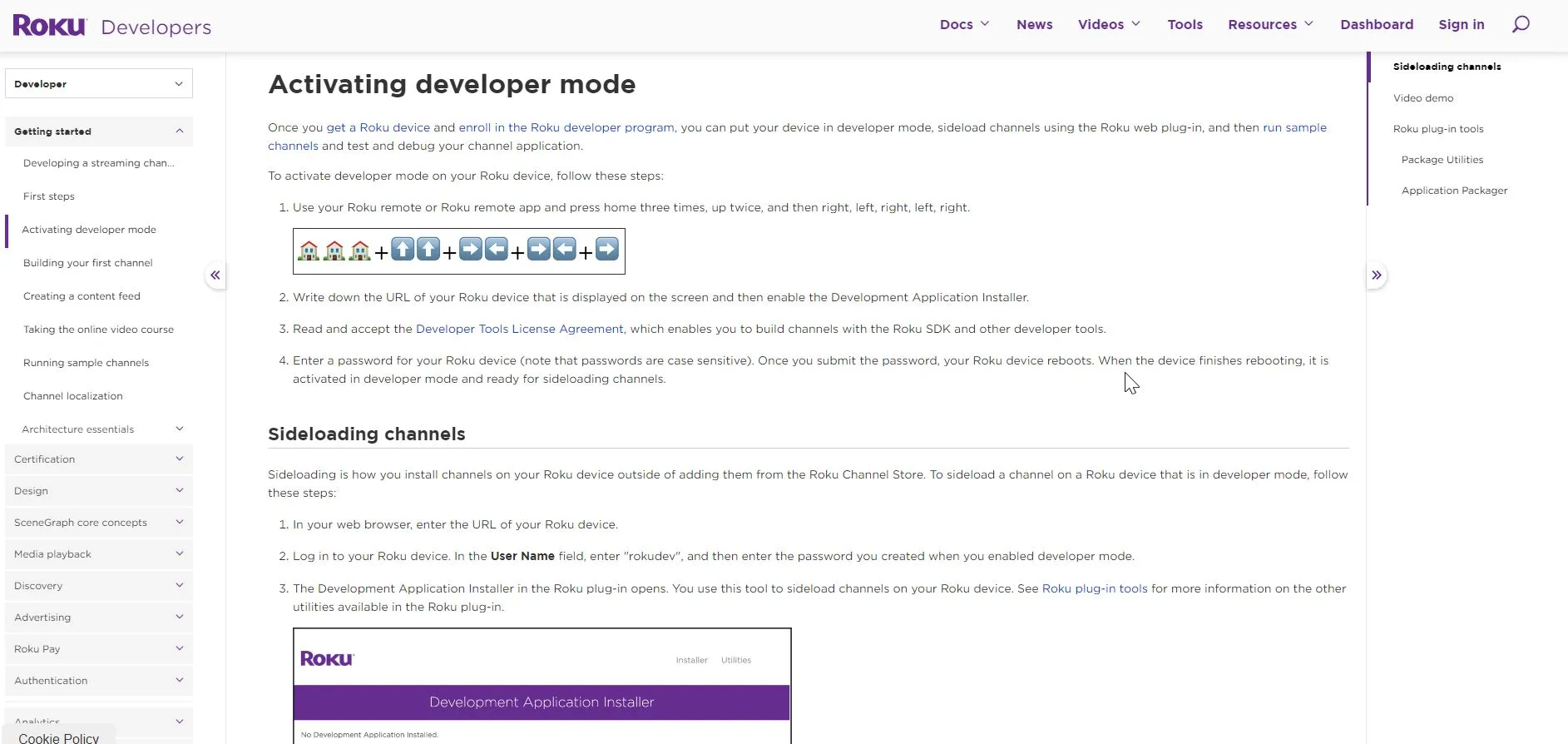
Step 1
Enable developer mode on your Roku device
On your Roku remote press home, home, home, up, up, right, left, right, left, right.
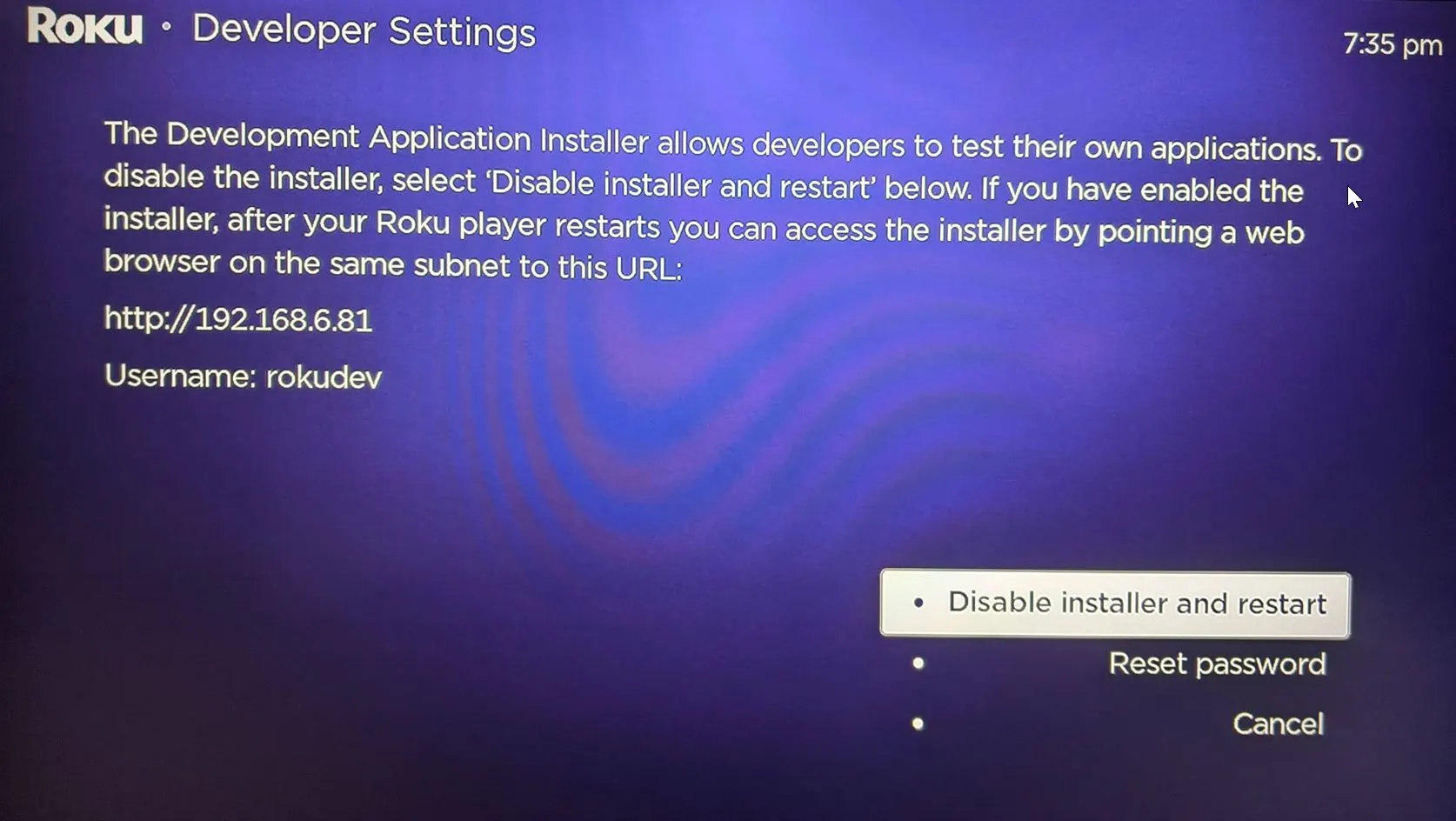
Step 2
Document the URL and user name
Make note of the Roku IP address (http://...) and user name. You can enter the IP address below to render a link to the device.

Step 3
Download Jellyfoo
I understand that
Jellyfoo is not officially endorsed by Jellyfin or Roku
and that
by using Jellyfoo I agree to use it only for legally owned content.
You are using this software at your own risk.
This software is IN NO WAY WHATSOEVER endorsed by Jellyfin or Roku.
Nor is it admonished by either party but there is nothing "official" about this software.
This is a hobby-ware project and there are absolutely no promises of updates or continued maintenance.
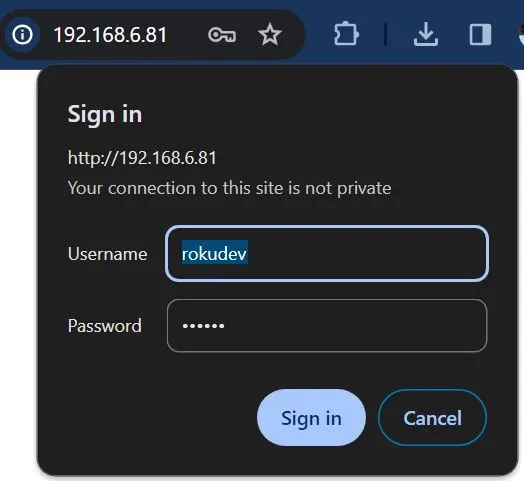
Step 4
Go to the Roku device URL
http://your.roku.ip.address
Login with the
username
and
password
at the
url
from Step 2.
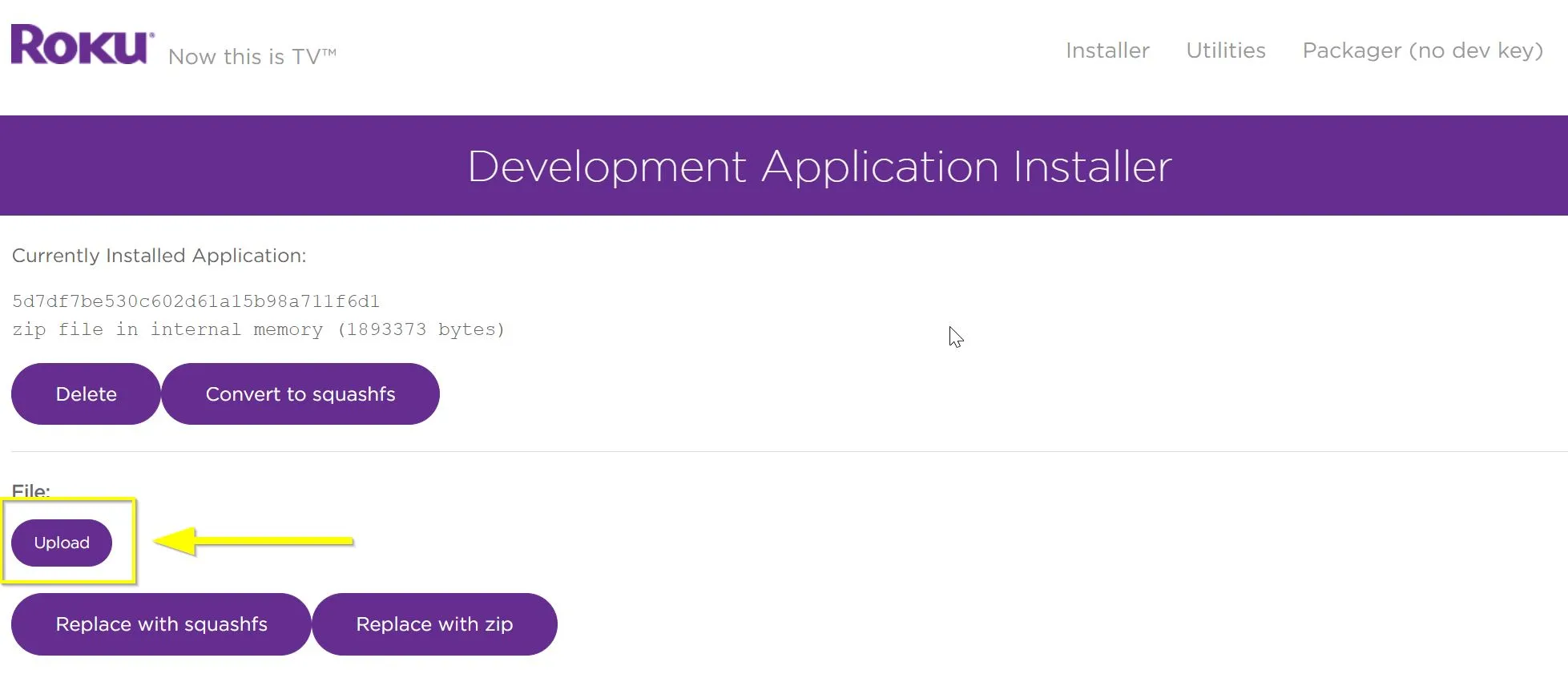
Step 5
Upload Jellyfoo to your Roku
Click
Upload
and
browse to the .zip file
you downloaded in Step 3.
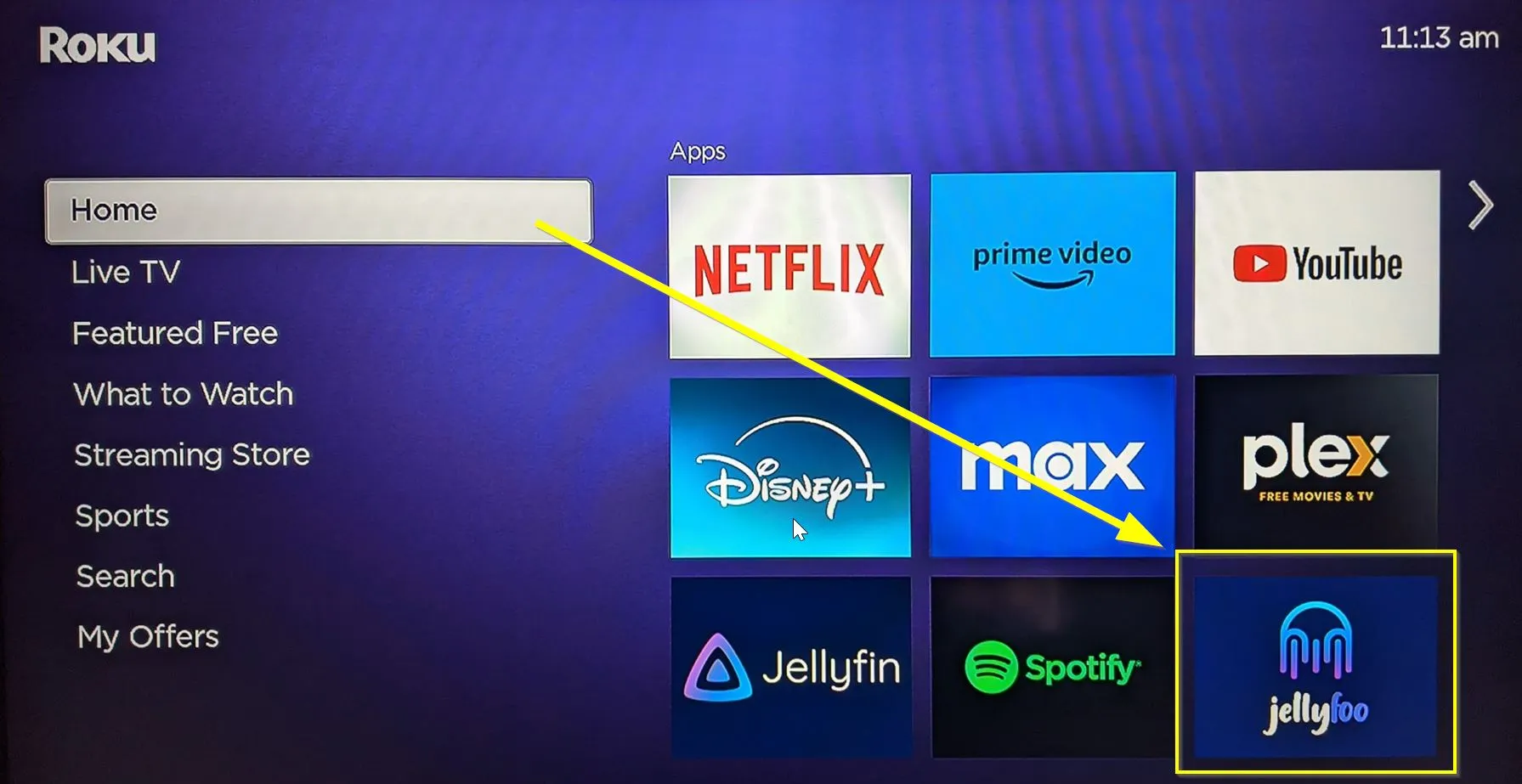
Step 6
Launch Jellyfoo from the Roku Home Screen
Jellyfoo is installed as the last item in your app grid.

Enjoy the app!
Any feedback is appreciated
(but not necessarily acted upon)